Check a SprutCAM robot program before it runs
SprutCAM's own simulation is good. The gap is afterwards: the .src file goes to a USB stick, the operator loads it on the KRC, and nobody looks at it again until the robot moves. Toolpath Viewer opens that .src on any PC.
The checks that catch real mistakes
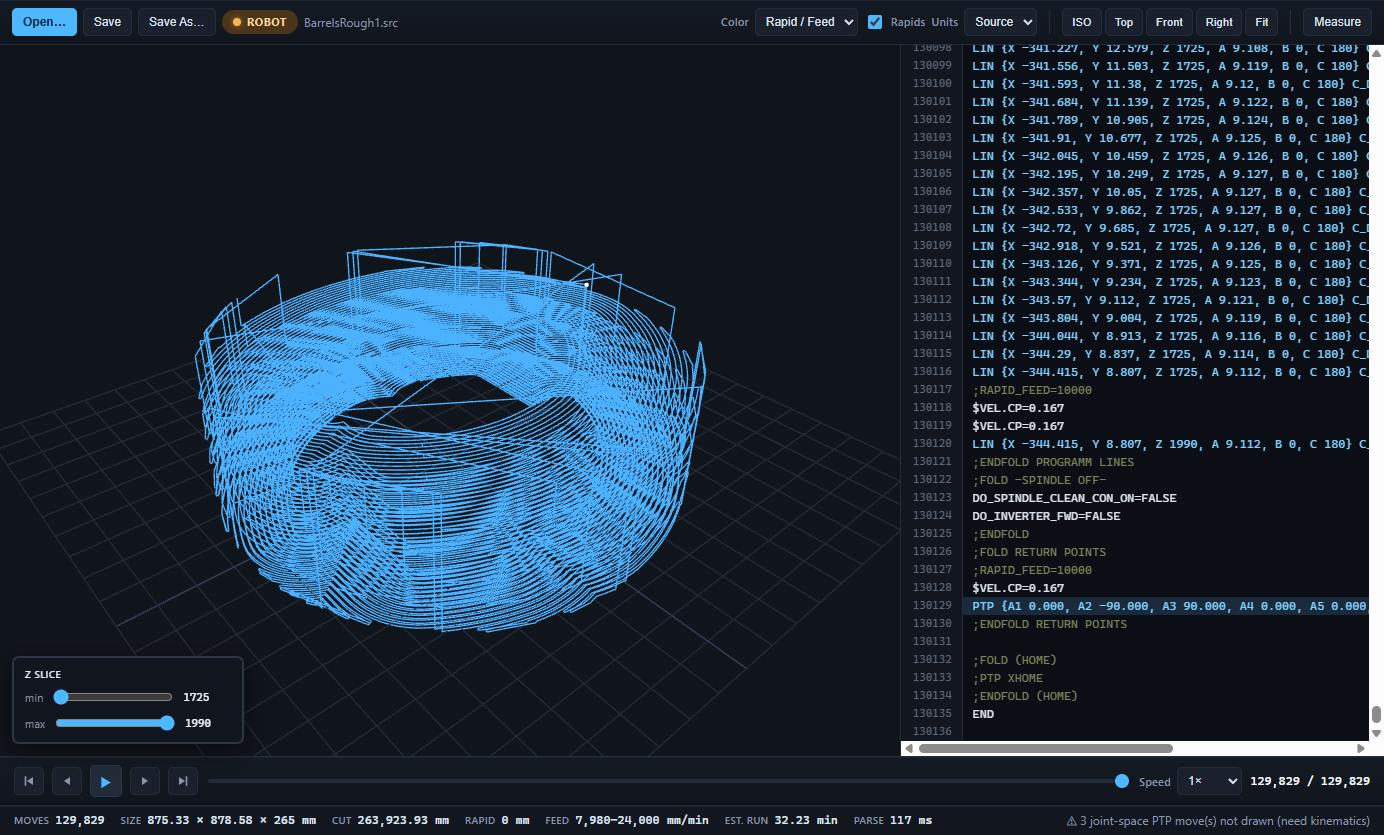
- Right file, right version. Move count, bounding box and run time are on the status strip. A re-post with a changed stock size or a forgotten operation shows up as a different number.
- Speeds. Every
$VEL.CPblock is followed. Colour the path by feed and the one operation left at 0.4 m/s stands out. - Turntable and track. E1 and E2 are read from every move. Switch to the cell view and watch the table rotate under the path, or stay in the part frame to see the shape.
- Joint moves. PTP moves in joint space are listed and counted, so you know where the robot re-seeds before a Cartesian block.
- Small edits. Change a feed, a $BASE line or a comment in the code panel, watch the path update, and save back with the file's encoding and line endings intact, so the KRC still reads it.
What stays with SprutCAM
Collision checking, reach, singularities and the kinematic drawing of joint-space moves are simulation jobs and SprutCAM does them well. Toolpath Viewer is the fast second look at the file that actually leaves the office. It needs no SprutCAM seat, no robot cell model and no network.
Get it
KUKA programs are a Pro feature. The download gives you 30 days of Pro with no card; a shop pack of five seats is US$899, once. Send a program that does not open to [email protected] and it will be fixed.