Open a KUKA .src file without KUKA.Sim
The program your CAM posted is plain text. Toolpath Viewer reads the KRL and draws every LIN, PTP, CIRC and spline move in 3D on any Windows PC, with the source code beside it.
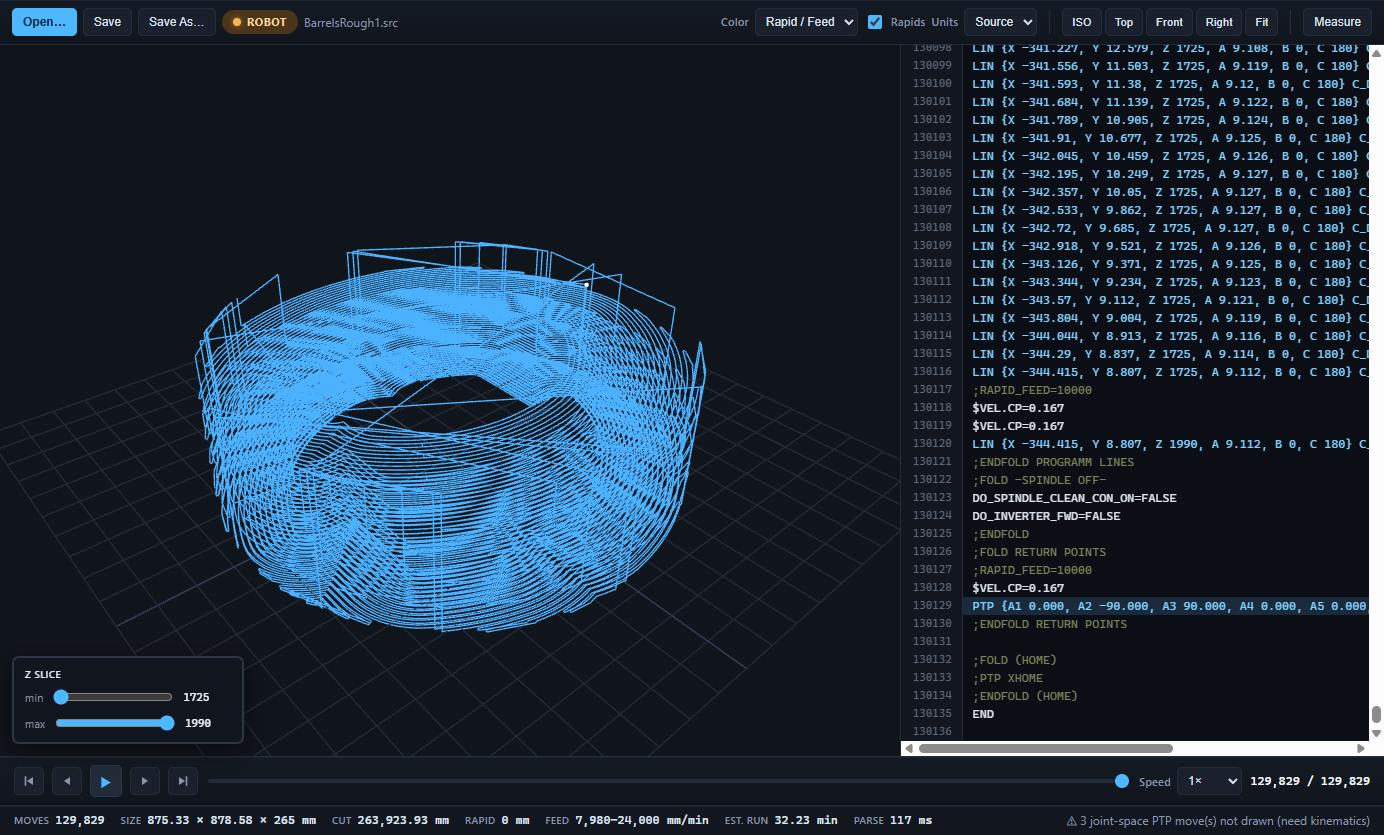
What it reads
- LIN, PTP, CIRC, SLIN, SPTP, SCIRC, SPL and the
_RELvariants, includingC_DIS/C_PTPapproximation flags. - External axes: E1 as a linear track and E2 as a turntable. Switch between the part frame and a cell view where the turntable turns under the path.
- $VEL.CP changes anywhere in the program, so the run-time estimate follows every speed block instead of one average.
- Files from SprutCAM, KUKA|prc, RoboDK, Robotmaster and hand-written posts. It looks at the text, not the tool that wrote it.
What it does not do
It is a checker, not a simulator. Joint-space PTP moves (A1 to A6 without a Cartesian target) are marked but not drawn, because drawing them needs the robot's kinematics. Collisions, reach and singularities are still the job of KUKA.Sim or the controller's test run. What you get is a fast, honest picture of where the tool goes, how far, how fast and for how long.
Why shops use it
- Check a re-post on the office PC without waiting for the robot to be free.
- Find the one block that runs at 0.4 m/s when it should be 0.13, by colouring the path by feed.
- Click any line of KRL and see that move highlighted; hover a move and read its line.
- Fix a value in the code panel, watch the path update, save back to the same file with its encoding untouched.
Get it
KUKA programs are a Pro feature. The download includes a 30-day Pro trial with no card; after that Pro is US$249 per seat, bought once, or US$79 for non-commercial use. See the questions on the home page.