A viewer for 4-axis hotwire XYUV g-code
Ordinary g-code viewers draw the left tower and ignore the U and V words. Toolpath Viewer draws both towers, the wire between them, and the surface the wire sweeps through the block.
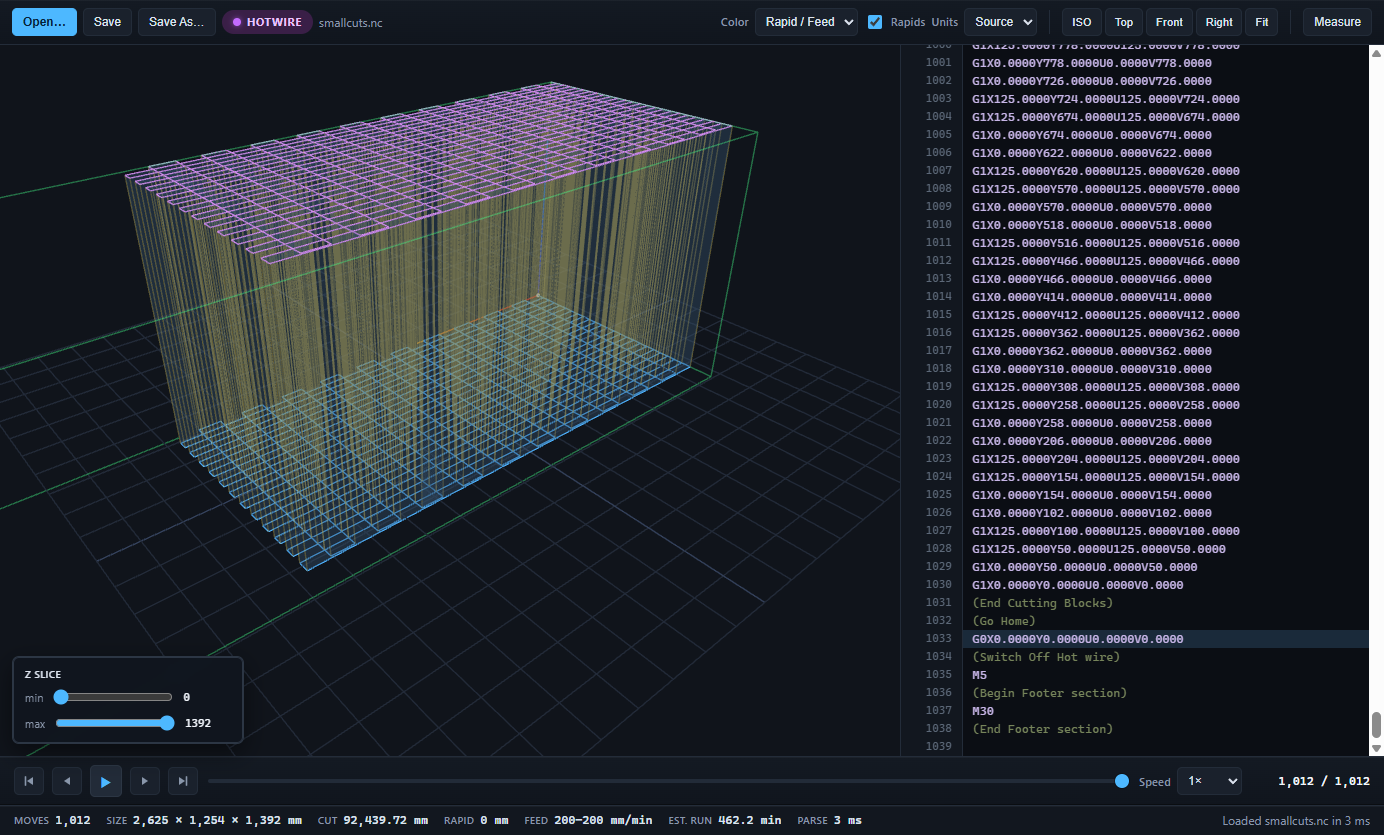
How it recognises a hotwire file
It reads the program, not the extension. A file with AxisNames=XYUV or towerDistance in its header, or with U and V words on its motion lines, is treated as a hotwire program. The tower distance from the header sets the depth of the block; if the header has none, the viewer assumes 1000 mm and tells you so.
What you can check
- Both profiles at once, so a mis-scaled tip or a mirrored root shows up before foam is wasted.
- Cut length per tower, the feed range, and an estimated cut time that follows every F word.
- Rapid moves in a different colour, so a wire that plunges through the block on the way home is obvious.
- Click a line of g-code to see that move; measure between two points; slice the view by height.
- Edit a value and save back to the same file, with the encoding and line endings the controller expects.
Posts and machines
Programs from DevFoam, Jedicut, GMFC, MegaPlot-style and Foamlinx-style posts and hand-written files open the same way. Toolpath Viewer does not talk to the machine; it reads the file the post wrote and shows you what will happen when you press Start.
Get it
Hotwire programs are a Pro feature. The download includes a 30-day Pro trial with no card. RC wing builders and other non-commercial users pay US$79 once; shops pay US$249 per seat, once, with 12 months of updates.